


Stripe Payments
Stripe Payments & Payouts (Vendor Guide)
Important: This article is provided for general guidance only and does not replace the official Terms of Service, which govern use of the Platform.
To receive payments for rentals on 3D RENT hub, every vendor must connect a Stripe Standard account. Stripe securely handles customer payments, identity verification (KYC), and payouts directly to your bank account. Setup typically takes 5–10 minutes.
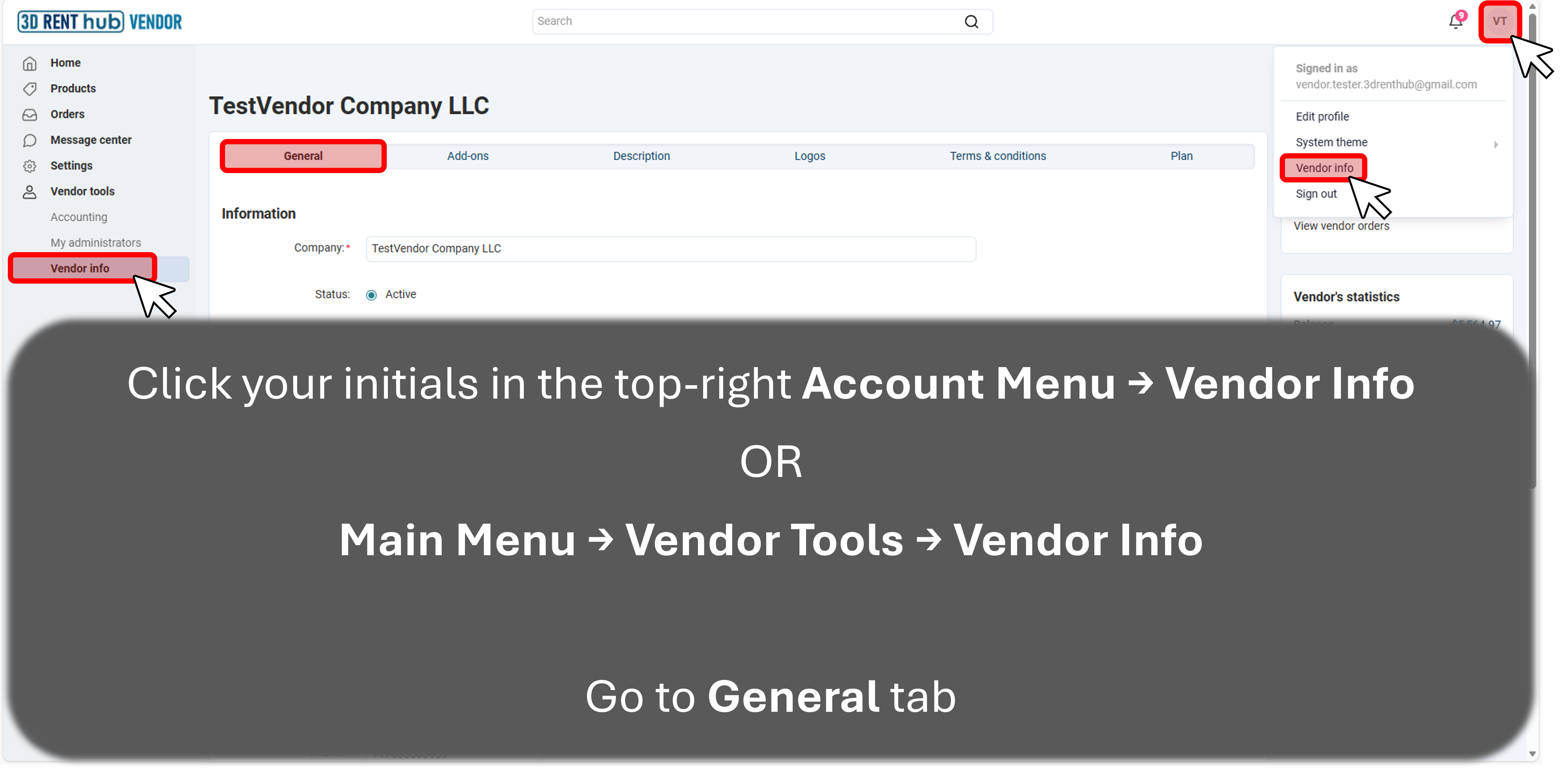
Step 1: Open Vendor Info
Go to your Vendor Dashboard and open Vendor Info → General.
You can access this in either way:
-
Click your initials (top-right) → Vendor Info
-
Or use Main Menu → Vendor Tools → Vendor Info
Step 2: Create or Connect Your Stripe Account
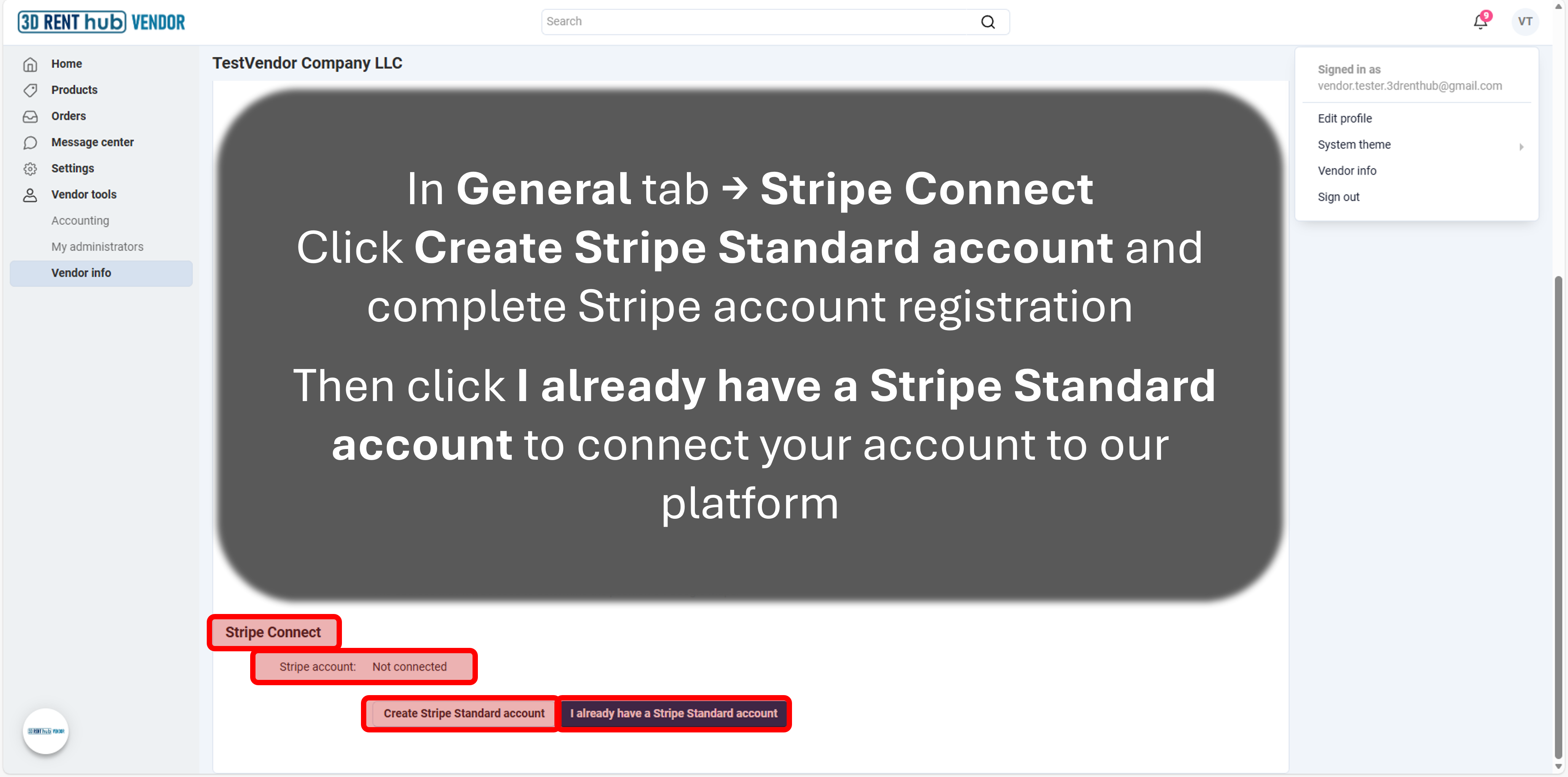
Scroll to the Stripe Connect section in the General tab.
You have two options:
-
Create Stripe Standard account – if you don’t already have one
-
I already have a Stripe Standard account – to connect an existing Stripe account
You’ll be redirected to Stripe to complete setup or sign in.
Stripe may request:
-
Business information
-
Owner / representative details
-
Bank account for payouts
Note: 3D RENT hub never sees or stores your banking information.
Step 3: Confirm Connection
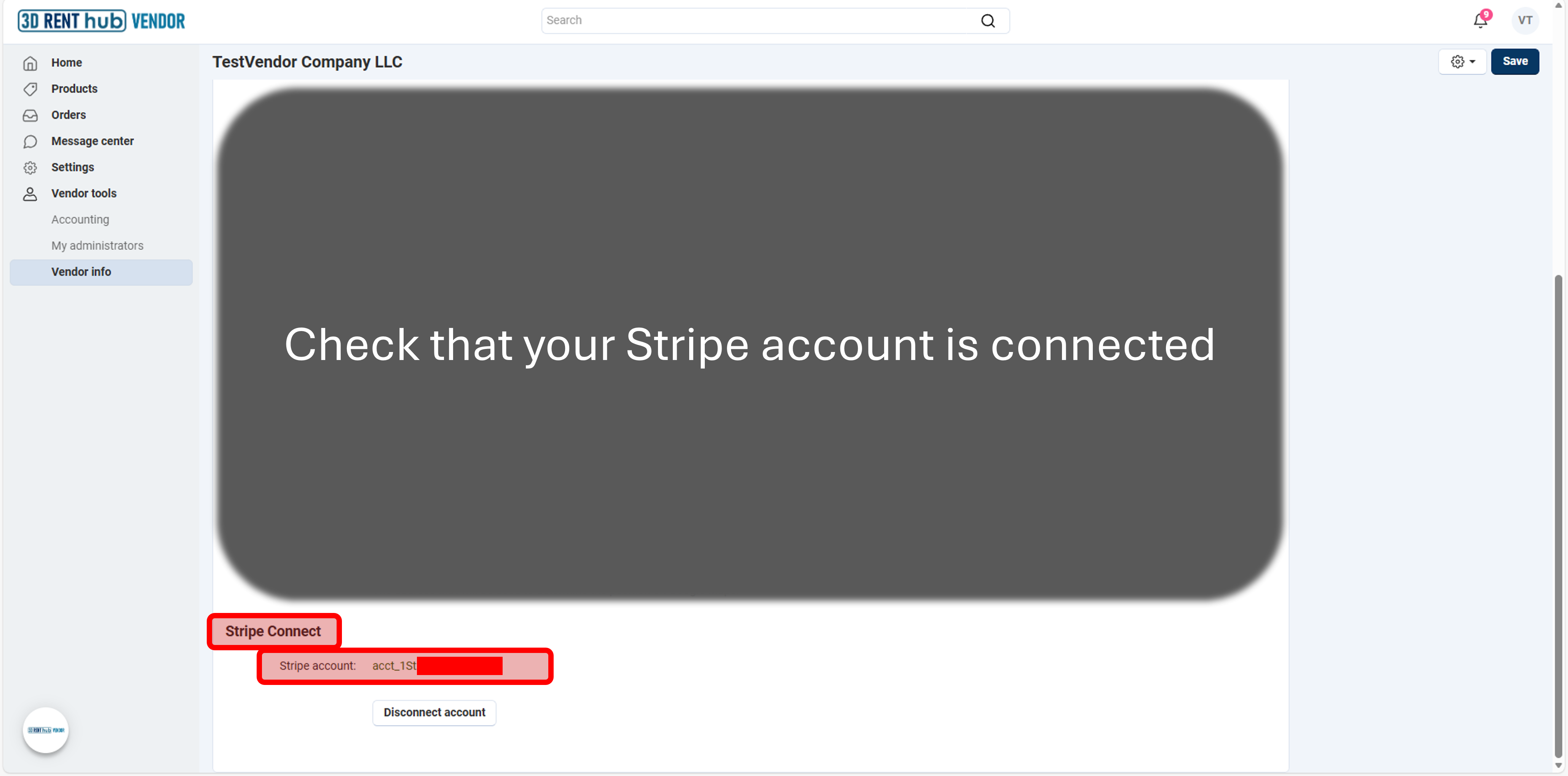
Once completed, return to Vendor Info.
Your Stripe account will show:
-
A Stripe account ID (acct_…)
-
Status confirming the account is connected
At this point, your account is ready to receive payouts.
How Money Flows (Example)
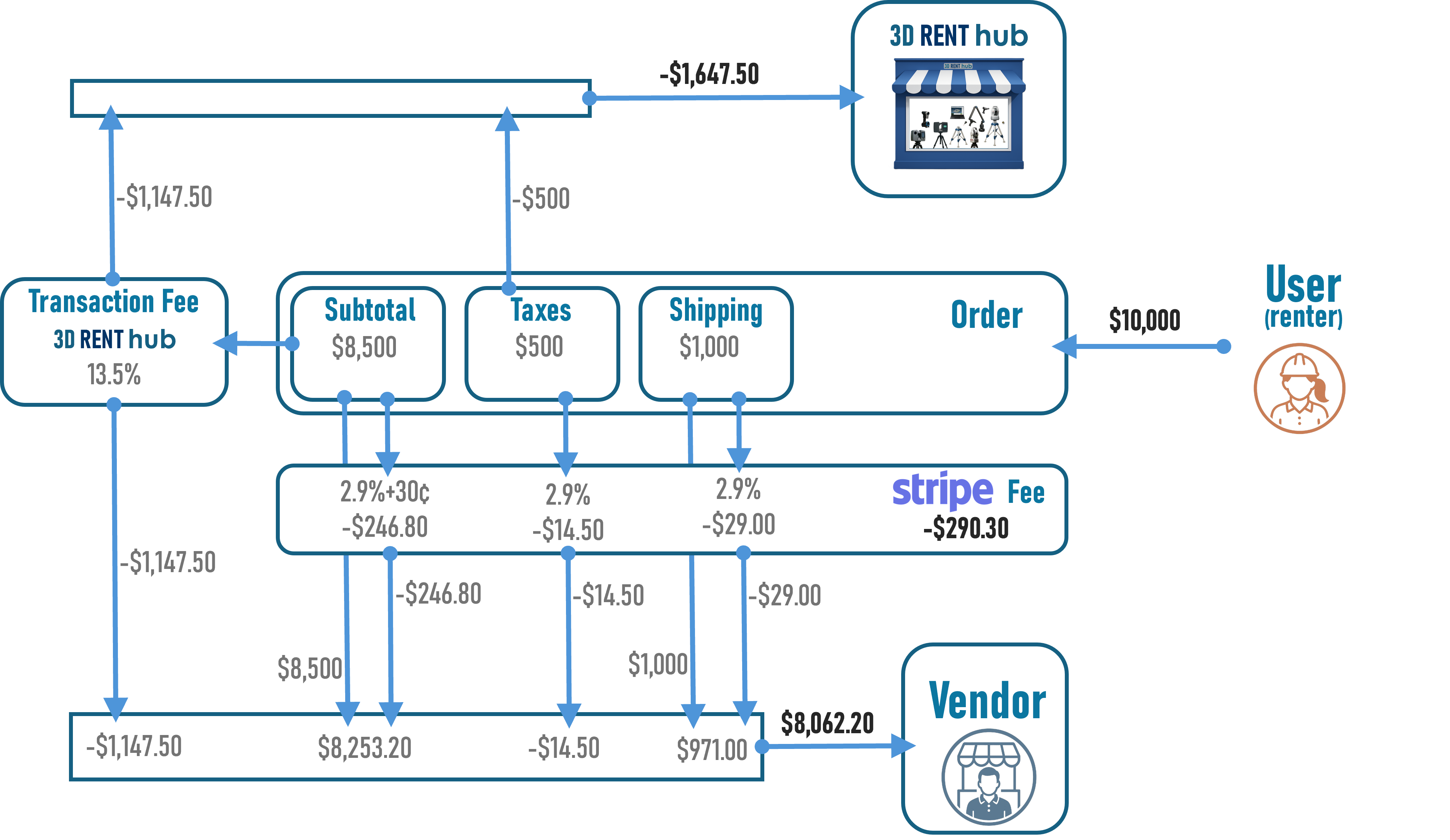
In Stripe Direct Payments, the Renter pays directly to the Vendor’s Stripe account.
An application fee is deducted from the Vendor’s account. It includes the Vendor Plan transaction fee and any tax collected on the Order for Platform-administered tax handling.
Stripe processing fees are also charged to the Vendor’s Stripe account.
Below is a simplified example showing how payments move through the system.
Example customer payment
Total checkout amount: $10,000
-
Rental subtotal: $8,500
- Sales tax: $500
-
Shipping: $1,000
What happens after checkout
-
Customer pays at checkout
-
Payment is processed securely by Stripe
-
-
Stripe processing fee is deducted
-
Standard U.S. online card rate: 2.9% + $0.30
-
Example Stripe fee: -$290.30
-
-
Transaction fee is applied
-
Transaction fee (example): 13.5% of the rental subtotal (* fees vary by plan)
-
Example Transaction fee: -$1,147.50
-
- Sales tax paid by the Renter is included in the application fee
- Example tax portion: -$500.00
-
Vendor payout
-
Remaining funds are available in the Vendor's connected Stripe account
-
Payout timing is controlled by Stripe (typically 2–3 business days)
-
Important notes
-
Stripe fees apply to the entire charged amount (including tax and shipping)
-
Transaction fees apply only to the rental portion
-
Multi-vendor orders are split and paid out per vendor
Learn More (Stripe)
-
Stripe pricing: https://stripe.com/pricing
-
Stripe payouts: https://stripe.com/docs/payouts
-
Stripe Connect overview: https://stripe.com/connect
Bottom line: Stripe connection is required to get paid. Once connected, payments and payouts happen automatically for every approved order.