


Returns & RMA
Returns & RMA (How It Works)
This article explains how to request a return on 3D RENT hub, including:
-
Standard RMA (end-of-rental return)
-
Refund requests for issue-based cases
All returns are initiated by the user through their Order.
What Is an RMA vs. a Refund?
RMA – Return item (no refund)
Use this option for:
-
Normal end of rental period
-
Equipment used as expected
-
No refund requested
This is the standard rental return flow.
Refund
Use this option only when there is an issue, such as:
-
Item arrived damaged
-
Wrong item delivered
-
Equipment could not be used as expected
Refund requests are reviewed and approved by the Vendor.
How to Request a Return
-
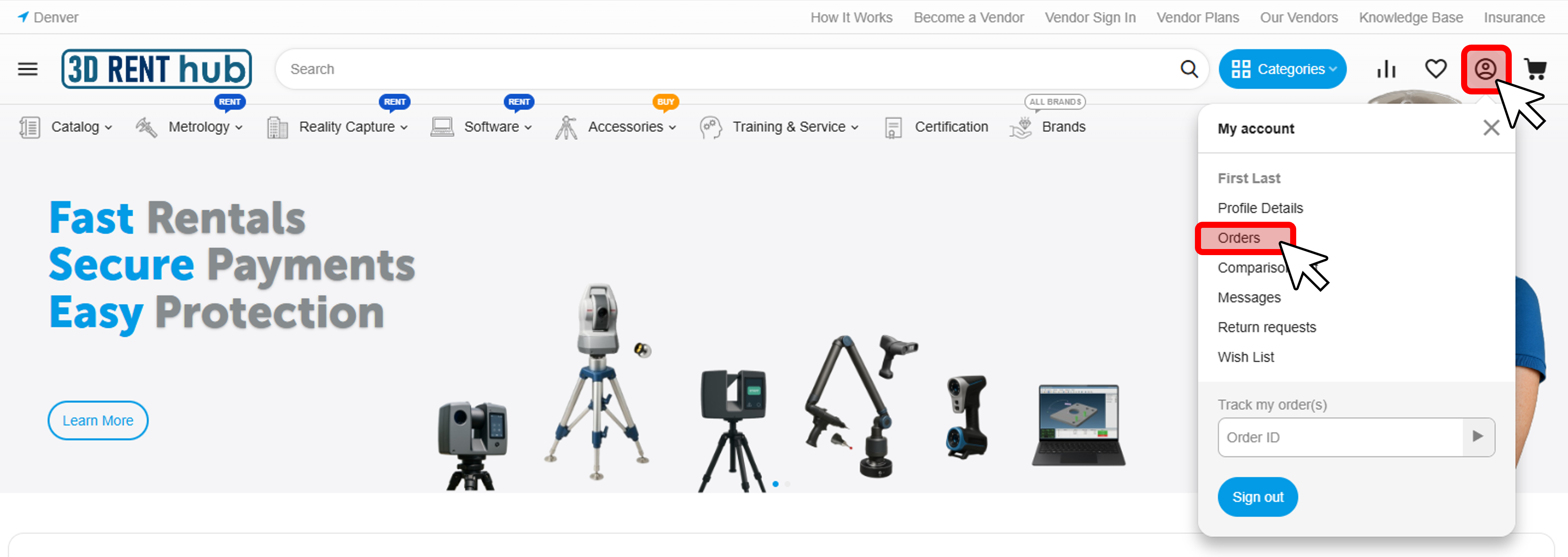
Click the account icon (top right)
-
Go to Orders
-
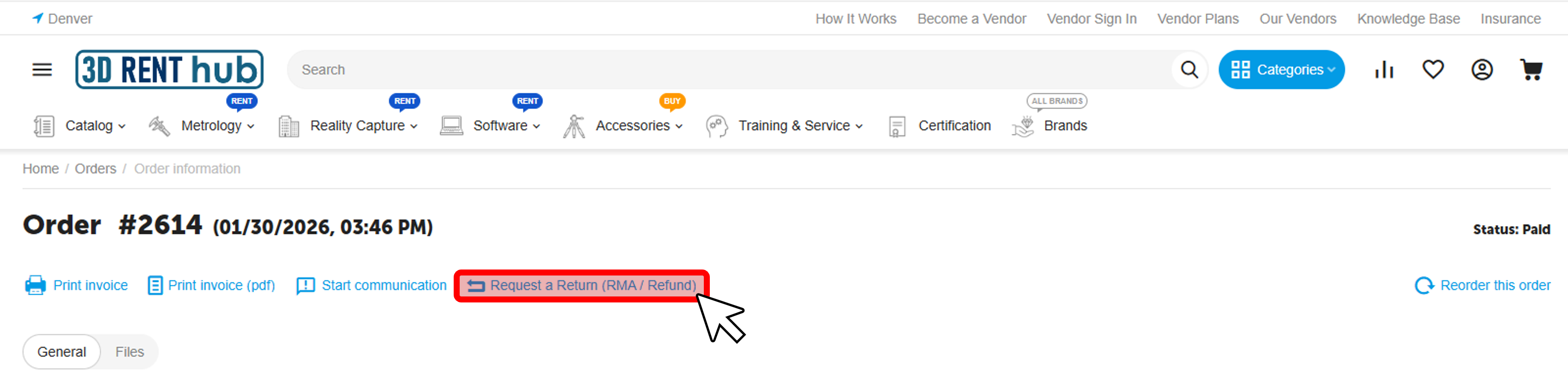
Open the relevant Order
-
Click Request a Return (RMA / Refund)
Select Return Type & Reason
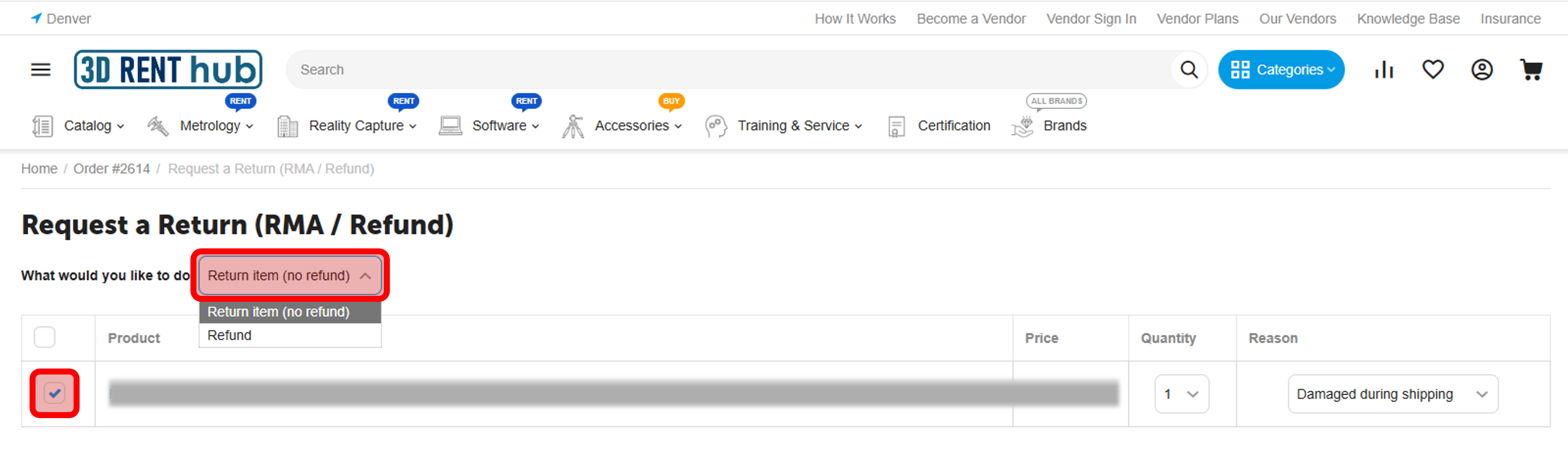
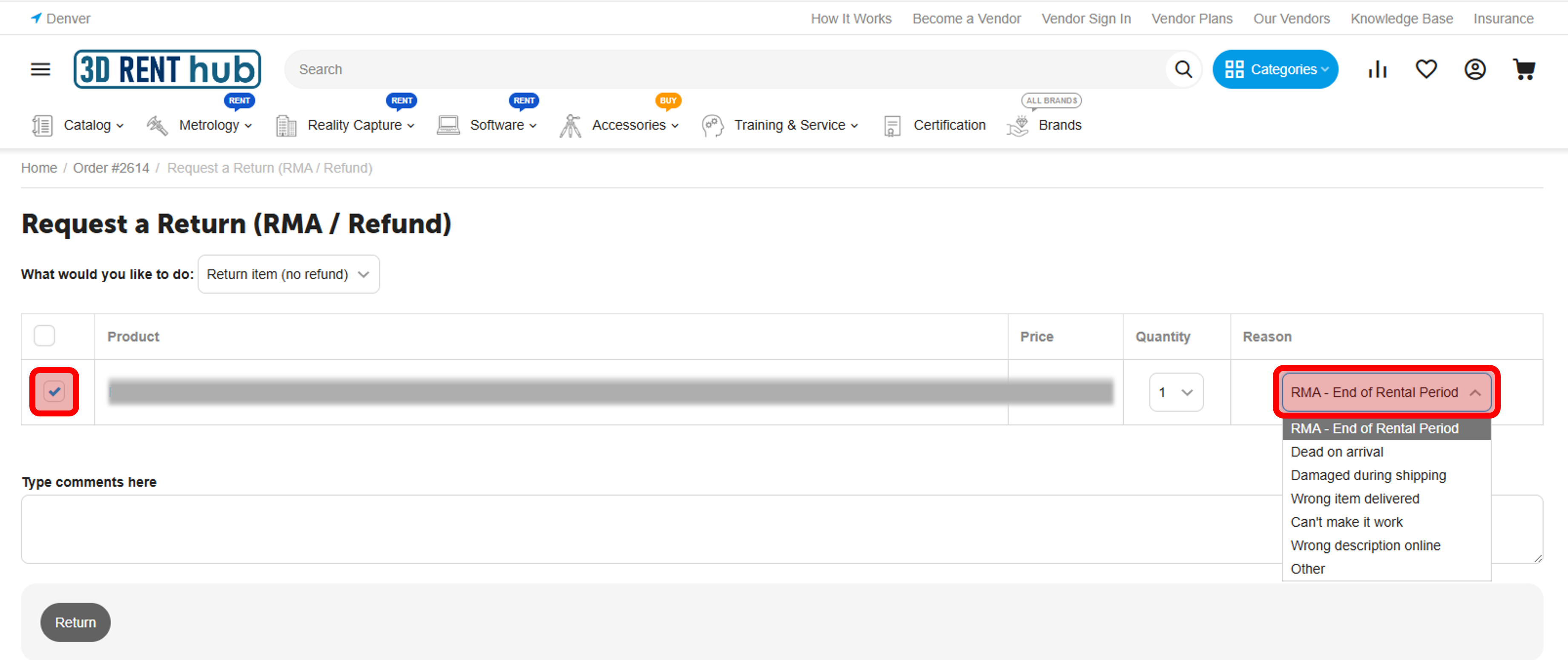
Select the product to return
What would you like to do?
-
Return item (no refund) → standard RMA
-
Refund → issue-based request
Reason
Available reasons include:
-
RMA – End of Rental Period
-
Dead on arrival
-
Damaged during shipping
-
Wrong item delivered
-
Can’t make it work
-
Wrong description online
-
Other
You may also add comments to provide additional details to the Vendor.
After You Submit the Return
-
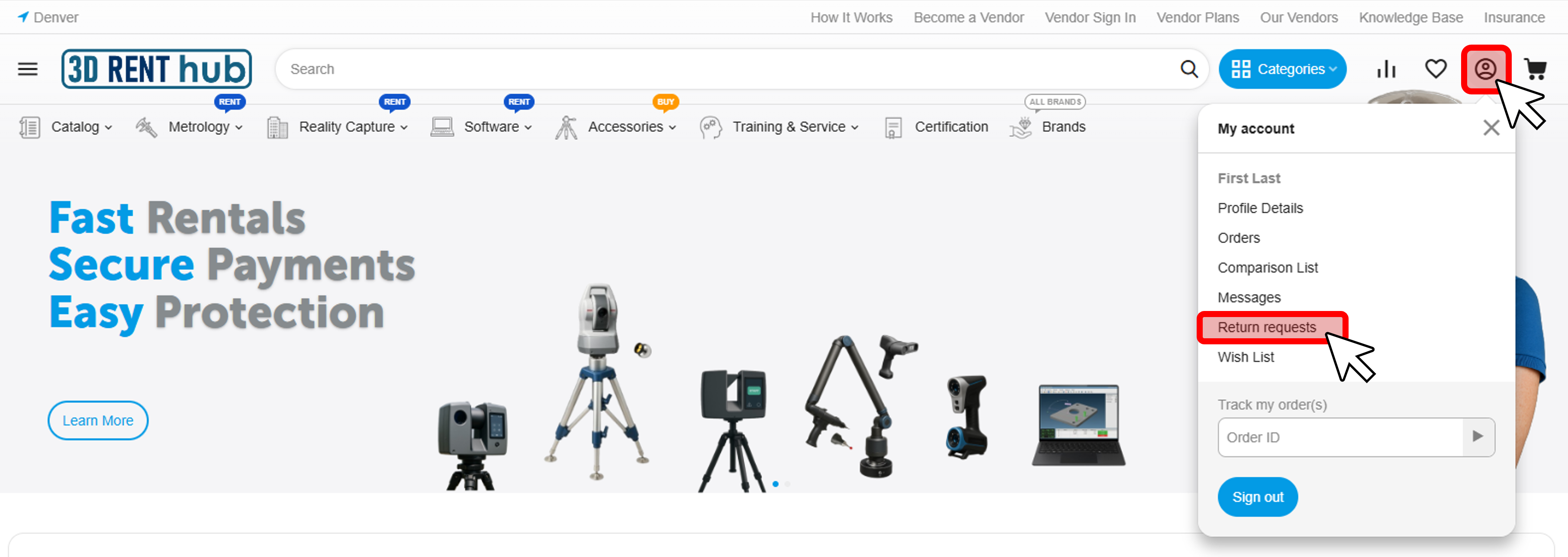
Your request appears under My Account → Return requests
-
The Vendor reviews and updates the return status
-
If the return is approved by the Vendor, you can:
-
View return details
-
Print a packing slip (when available)
-
Follow Vendor-provided return instructions
-
Important Notes
-
All returns are initiated by the user
-
Return instructions and shipping details may vary by Vendor
-
3D RENT hub facilitates the return process but does not inspect equipment or decide outcomes