


Returns & RMA
Returns & RMA (How It Works)
Important: This article is provided for general overview and guidance only and does not replace the official Terms of Service, which govern use of the Platform.
This article explains how to request a return on 3D RENT hub, including:
-
Standard RMA (end-of-rental return)
-
Refund requests for issue-based cases
All returns are initiated by the User through their Order.
What Is an RMA vs. a Refund?
RMA – Return item (no refund)
Use this option for:
-
Normal end of rental period
-
Equipment used as expected
-
No refund requested
This is the standard rental return flow.
Refund
Use this option only when there is an issue, such as:
-
Item arrived damaged
-
Wrong item delivered
-
Equipment could not be used as expected
Refund requests are reviewed and approved by the Vendor.
How to Request a Return
-
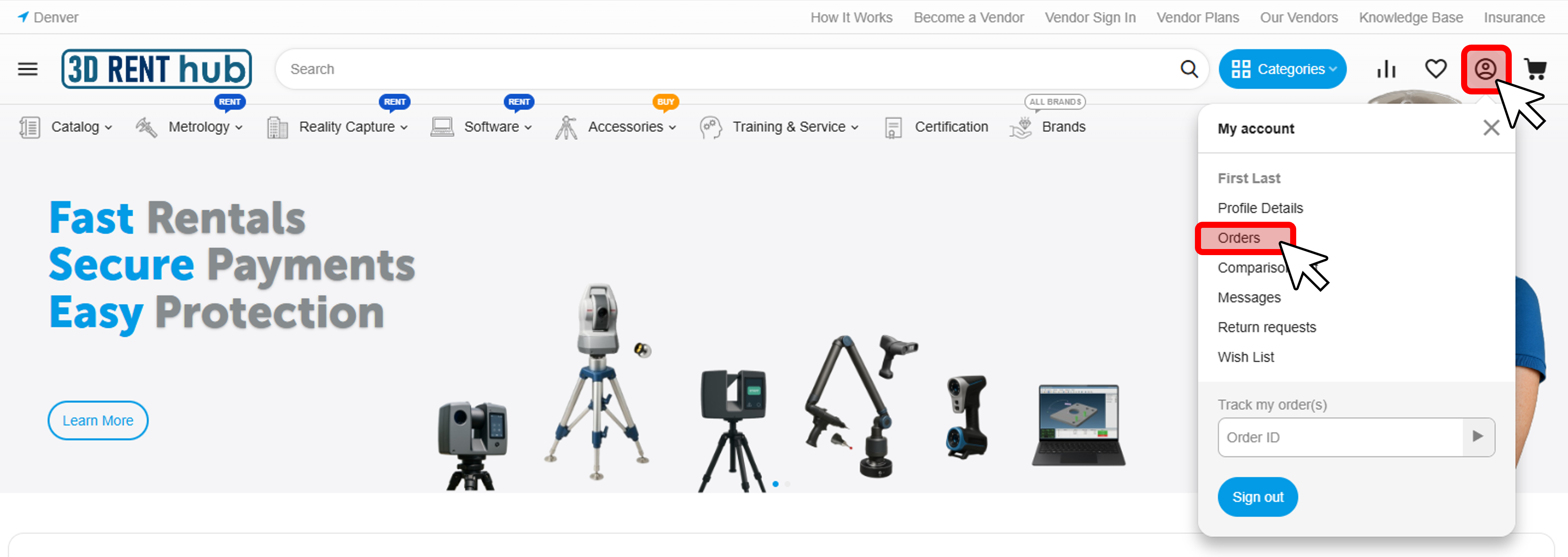
Click the account icon (top right)
-
Go to Orders
-
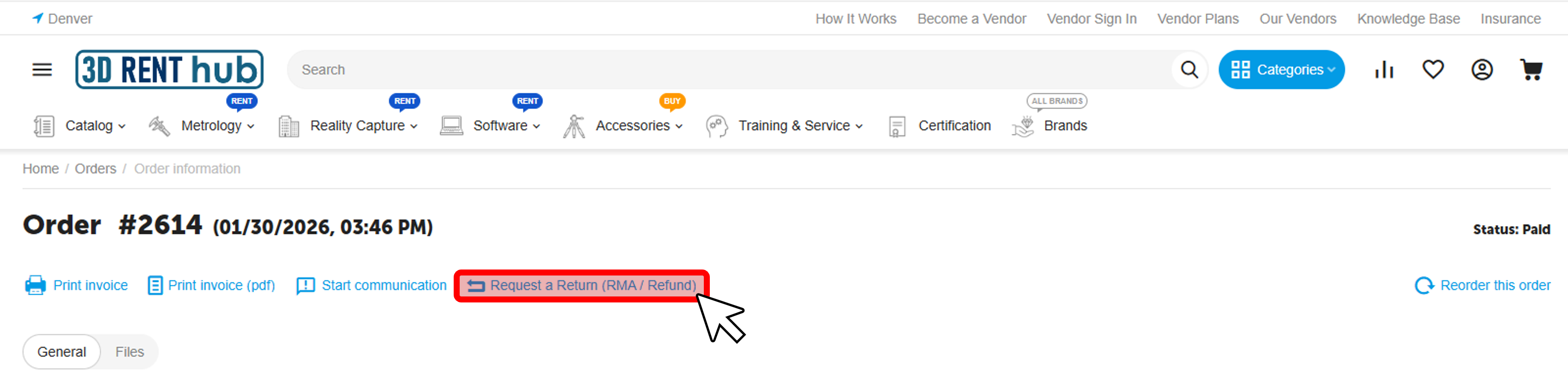
Open the relevant Order
-
Click Request a Return (RMA / Refund)
Select Return Type & Reason
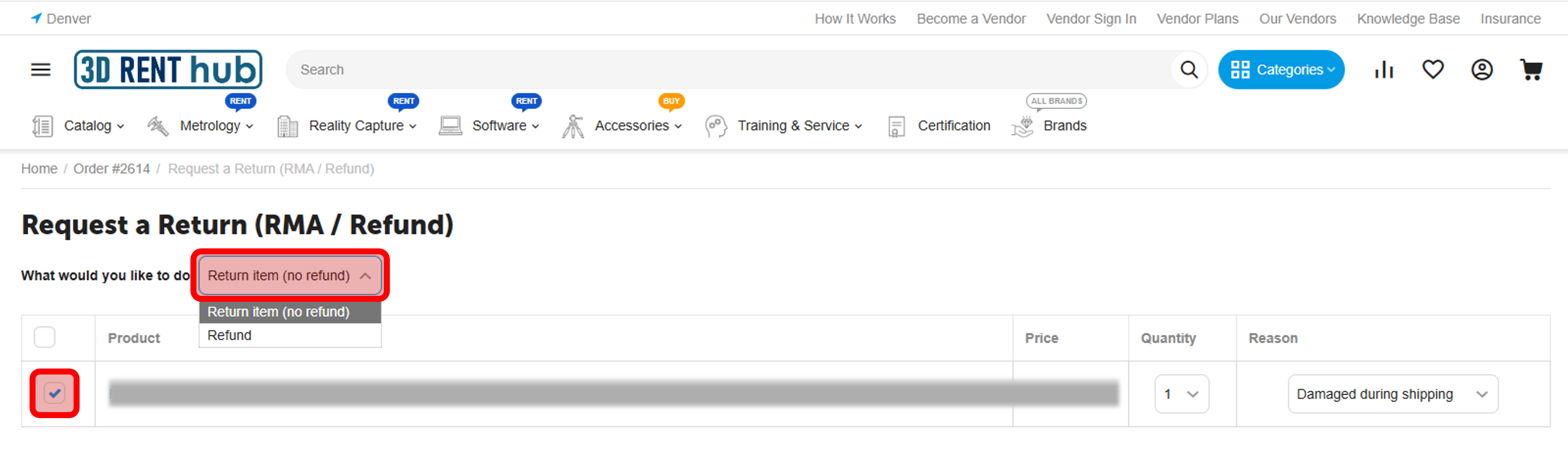
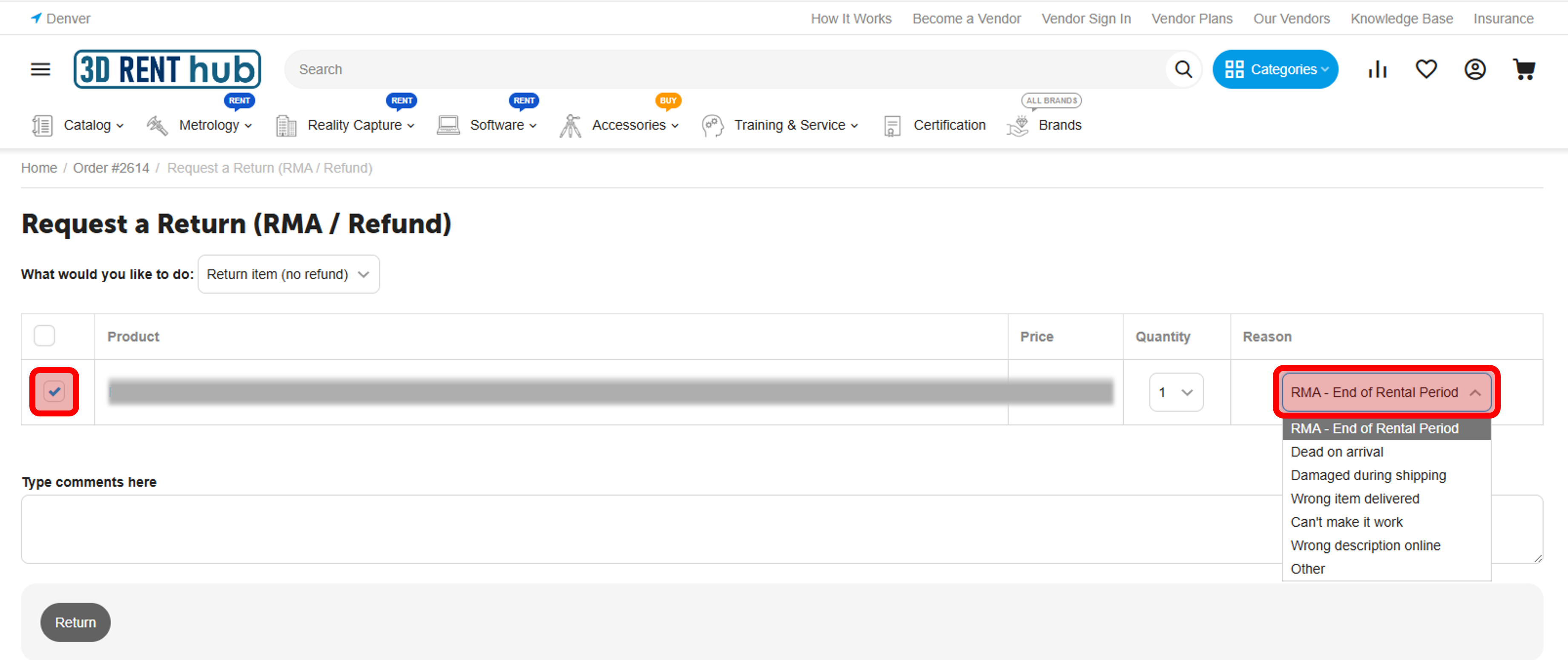
Select the product to return
What would you like to do?
-
Return item (no refund) → standard RMA
-
Refund → issue-based request
Reason
Available reasons include:
-
RMA – End of Rental Period
-
Dead on arrival
-
Damaged during shipping
-
Wrong item delivered
-
Can’t make it work
-
Wrong description online
-
Other
You may also add comments to provide additional details to the Vendor.
After You Submit the Return
-
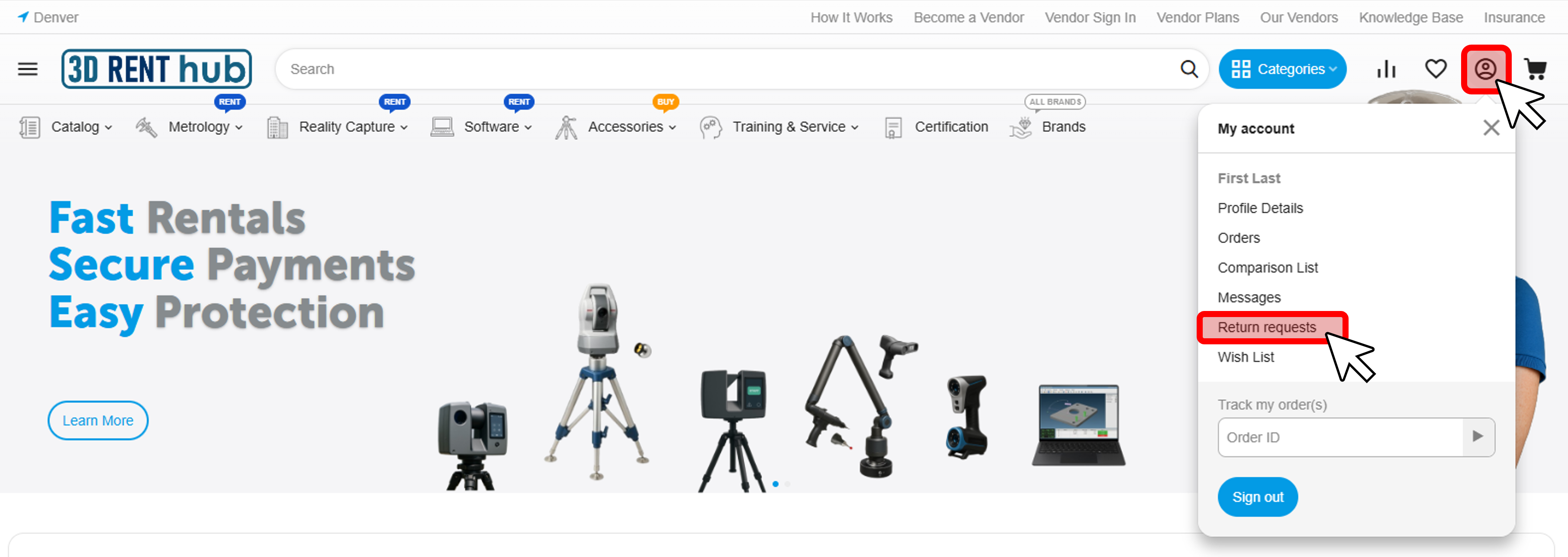
Your request appears under My Account → Return requests
-
The Vendor reviews and updates the return status
-
If the return is approved by the Vendor, you can:
-
View return details
-
Print a packing slip (when available)
-
Follow Vendor-provided return instructions
-
Return Statuses Explained
Each return request moves through several statuses while it is being processed. The exact steps depend on whether the return is a standard end-of-rental return or a refund request.
| Return Type | Requested | Approved | Declined | Completed |
|---|---|---|---|---|
| Return item (no refund) Standard RMA |
Requested by the User. Reason must be “RMA – End of Rental Period.” |
Optional step. Standard end-of-rental returns are generally considered approved once submitted. |
Used only in exceptional situations if shipping or return arrangements require adjustment. | Set after the Vendor receives and inspects the equipment. This also changes the Order Status to "Complete". |
| Refund Issue-based request |
Requested by the User. A reason must be selected and additional comments should be provided for the Vendor. |
The Vendor approves the return request. The User ships the equipment back to the Vendor. |
The Vendor may decline the request after communication with the User. | Any applicable refund is issued after the equipment is returned and inspected. This also changes the Order Status to "Complete". |
| Packing Slip | Available | Available | Available | Available |
The User can monitor the status of their return request at any time under My Account → Return requests.
Important Notes
-
All returns are initiated by the User
-
Return instructions and shipping details may vary by Vendor
-
3D RENT hub facilitates the return process but does not inspect equipment or decide outcomes